01
1. Choose a design
Pick your occasion and a design you love. Your invitation is ready to personalize.
Personalize in Hebrew, Yiddish, or English.
Free zmanim and weather included.
One invitation project · Continued editing · Included downloads · No subscription
Choose a moment. Find your design.
Baby Boy: choose the gathering you’re inviting guests to.
Pick your occasion and a design you love. Your invitation is ready to personalize.
Enter your names, time and place. Keep the ready-made wording or make it yours. Add a photo if you like.
Check the live preview, purchase once, then download for print, WhatsApp or email. Simple from start to send.
A polished guest PDF for your city and celebration date. Clear local zmanim, plus the weather for the day before, the day itself, and the day after.
In your invitation: Download → Zmanim & Weather
Make your invitation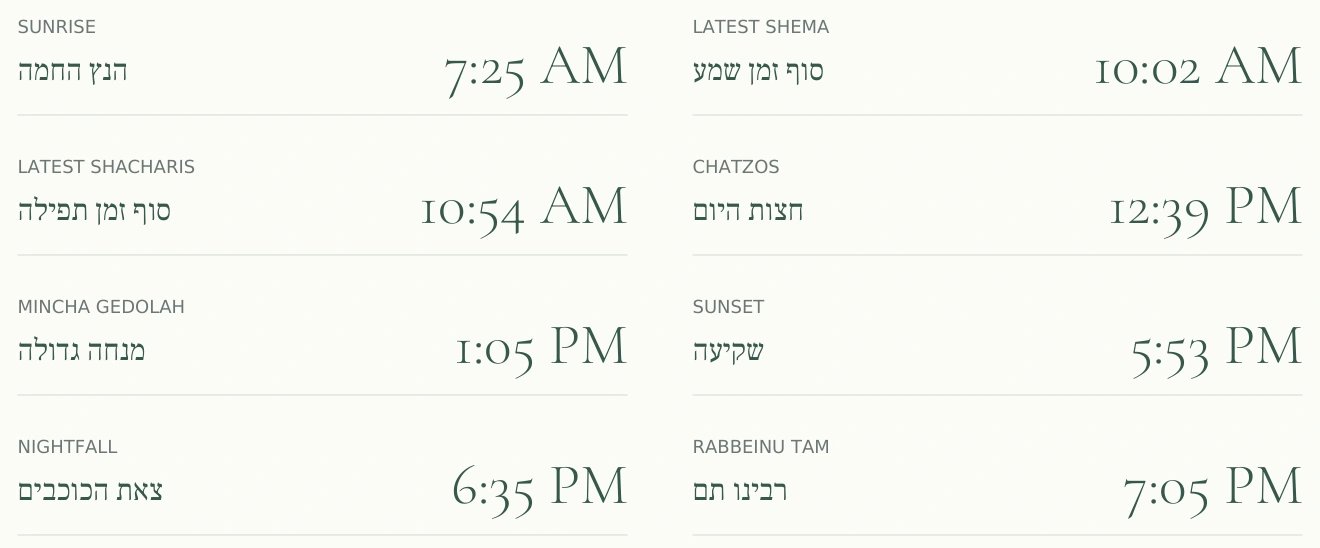
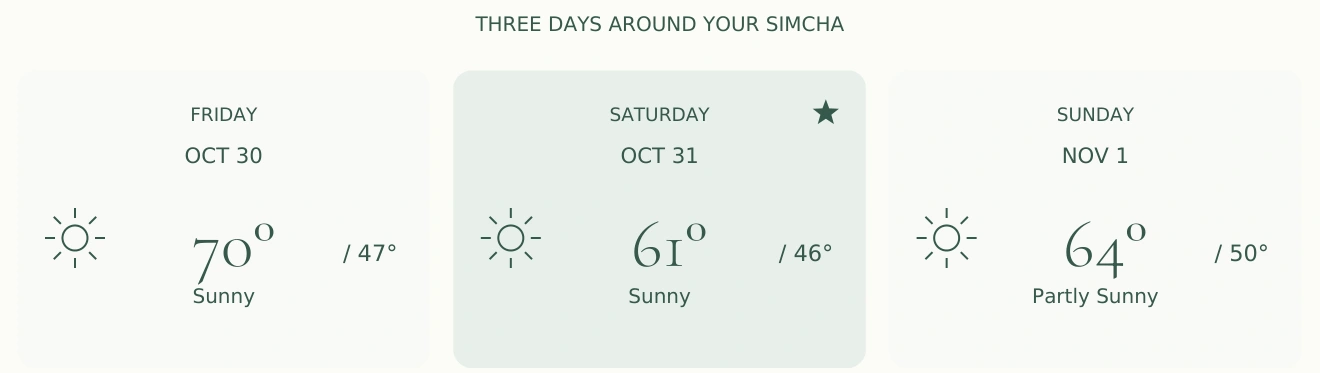
From a sample PDF · New York · October 31, 2026.
Your PDF uses your selected location and date. Forecast availability varies.
Add a picture, choose soft edges or an elegant frame, then let the studio arrange your wording around it. Three simple steps. Every detail stays yours to edit.
Try it with your pictureFrom a familiar נוסח to a personal message, make every line feel like your family. Explore the wording library, choose a style, and fine-tune the details.
Starter wording varies by occasion. Every line is editable.Find your design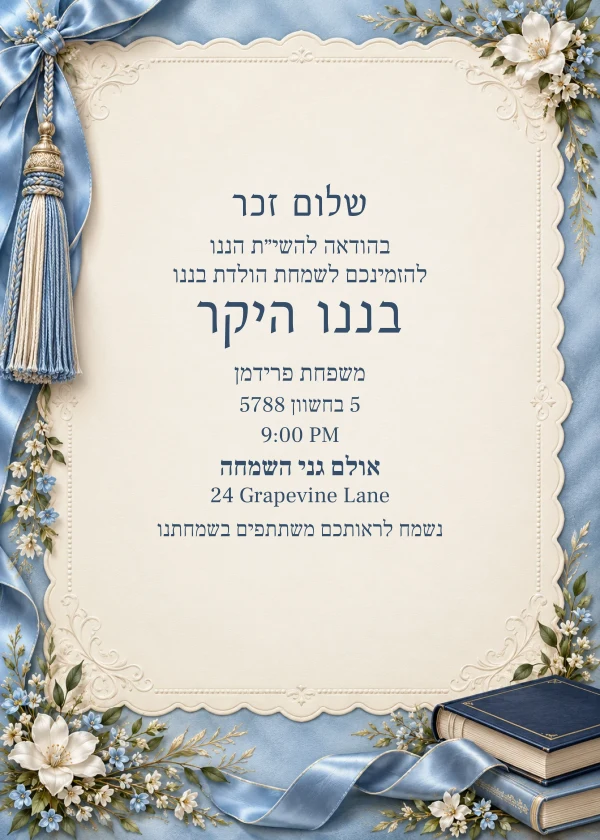
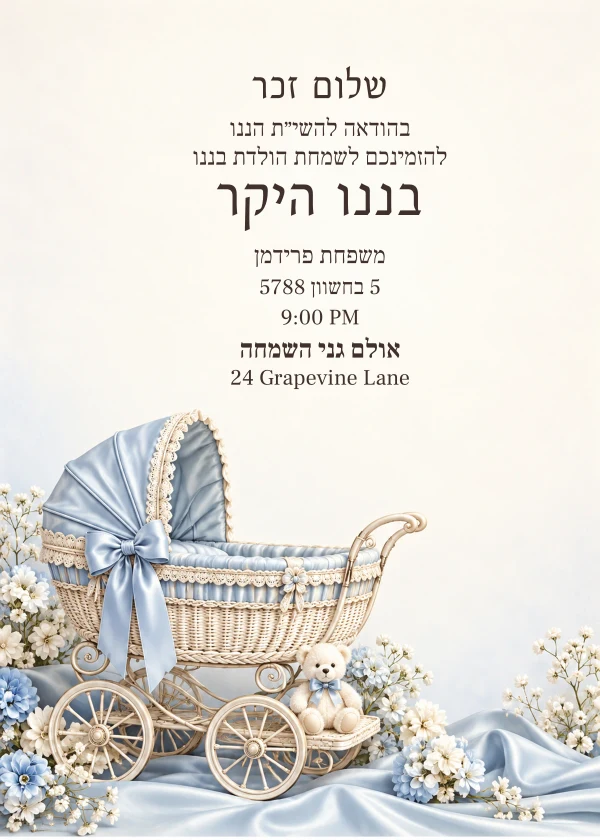
 Your words. Your family. Your simcha.
 Explore distinct styles across all occasions. Similar layouts remain separate, editable designs.
Traditional frames and familiar lettering.
Explore designsSoft blooms and decorative details.
Explore designsA simple, polished finish.
Explore designsChoose your favorite design, make it yours, and share the simcha.